
EAST TORONTO / TECHNOLOGY SERVICES
Better systems for everyday life and work.
Technology support, resilience planning, and thoughtful web design for Toronto homes, home offices, and small businesses.
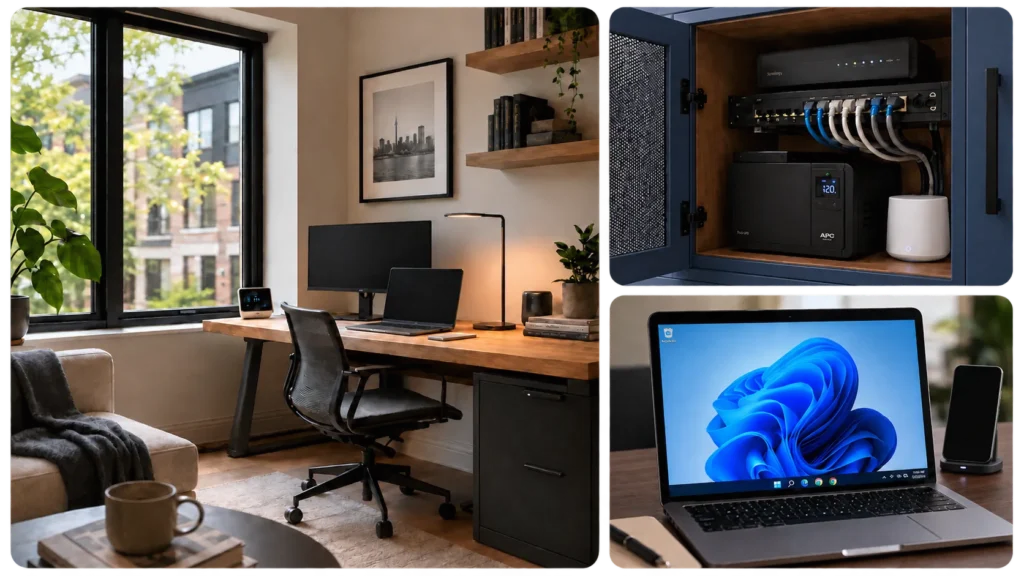
→ SERVICEs
Three ways we help.
Practical technology services for Toronto homes, home offices, and small businesses, with a focus on reliability, clarity, and solutions that make sense.
01 / Tech Support
Troubleshooting, setup, Wi-Fi, printers, Microsoft 365, devices, moving & home setup, and everyday technology problems, handled clearly and practically.
02 / Resilience
Backup power, network reliability, data backups, recovery planning, and practical ways to keep important technology working when something goes wrong.
03 / Web Design
Thoughtful, responsive websites for local businesses and organizations, built around clear communication, usability, and long-term maintainability.
01 / TEch support
Technology problems, handled clearly.
From computers and Wi-Fi to email, printers, Microsoft 365, and everyday device problems,
East Toronto Tech helps get things working again without unnecessary complexity.
Remote support is available when it can solve the problem faster and save you the cost of an onsite visit.
• Computers & Devices
Slow systems, setup, troubleshooting, software issues, and device configuration.
• Wi-Fi & Connectivity
Home and small-business Wi-Fi, internet troubleshooting, networking, and connection problems.
• Microsoft 365 & Email
Outlook, Microsoft 365 accounts, email setup, OneDrive, Teams, and everyday account issues.
• Printers & Peripherals
Printers, scanners, displays, accessories, and the devices that need to work reliably with everything else.
02 / RESILIENCE
Keep important technology working when something goes wrong.
Power outages, internet failures, hardware problems, and data loss can quickly turn everyday technology into a disruption.
East Toronto Tech helps plan practical layers of resilience so essential devices, connectivity, and data can keep working or recover with less interruption.
Respond
Know what failed, what matters most, and what to do next when a technology problem interrupts the day.
Continue
Backup power, connectivity, and data strategies can keep essential work available while the primary system is unavailable.
Recover
Good backups, documentation, and recovery planning help restore normal operation without unnecessary confusion or delay.
Backup Power · Connectivity · Data Protection · Recovery Planning
03 / WEB DESIGn
Websites built around the people who use them.
East Toronto Tech designs clear, responsive websites for local businesses and organizations that need a professional online presence without unnecessary complexity.
The goal is a site that communicates well, works properly across devices, and remains practical to manage after launch.
Clear Structure
Pages, navigation, and content organized so visitors can quickly understand the business and find what they need.
Responsive Design
Layouts designed to work cleanly across desktop, tablet, and mobile rather than treating smaller screens as an afterthought.
Practical Maintenance
WordPress builds structured for straightforward updates, sensible ownership, and long-term usability.
→ WHY EAST TORONTO TECH
Clear advice. Reliable support. Local service.
East Toronto Tech provides straightforward technology support for homeowners, professionals, home offices, small businesses, and organizations across Toronto and the GTA.
The focus is simple: understand the issue, explain the options clearly, and recommend solutions that make sense for the situation.
Local & Responsive
Remote support when it can solve the problem efficiently, with onsite service when a closer look is needed.
Clear Communication
Plain-English explanations, clear expectations, and no unnecessary technical jargon.
Thoughtful Recommendations
Advice based on what fits the client’s needs, without unnecessary upgrades or overselling.
Respectful Service
Careful work in homes and workplaces, with attention to privacy, reliability, and long-term trust.
→ GET IN TOUCH
Need help with a technology problem or project?
Tell us what’s going on. We’ll help determine the next step, whether that
means remote support, an onsite visit, resilience planning, or a web project.